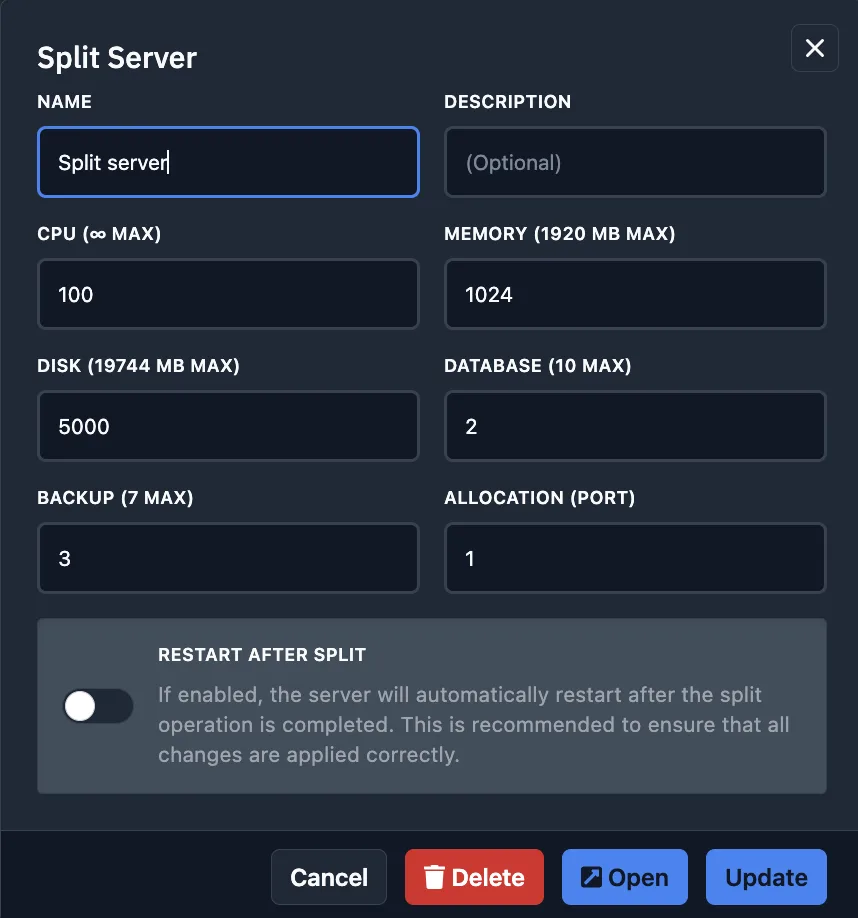
Maximize Your Resources with Server Splitting
Why settle for one server when you can have an entire network? Our Split module allows you to transform a high-resource plan into two, three, or more independent sub-servers. This is the perfect solution for creating Rust clusters or building a Minecraft ecosystem with BungeeCord and dedicated lobbies.
Getting Started with the Split Module
To begin, log in to your dashboard, select your primary server, and navigate to the "Split" tab. This interface provides a clear overview of your total resource pool, currently active sub-servers, and the remaining capacity on your master node.
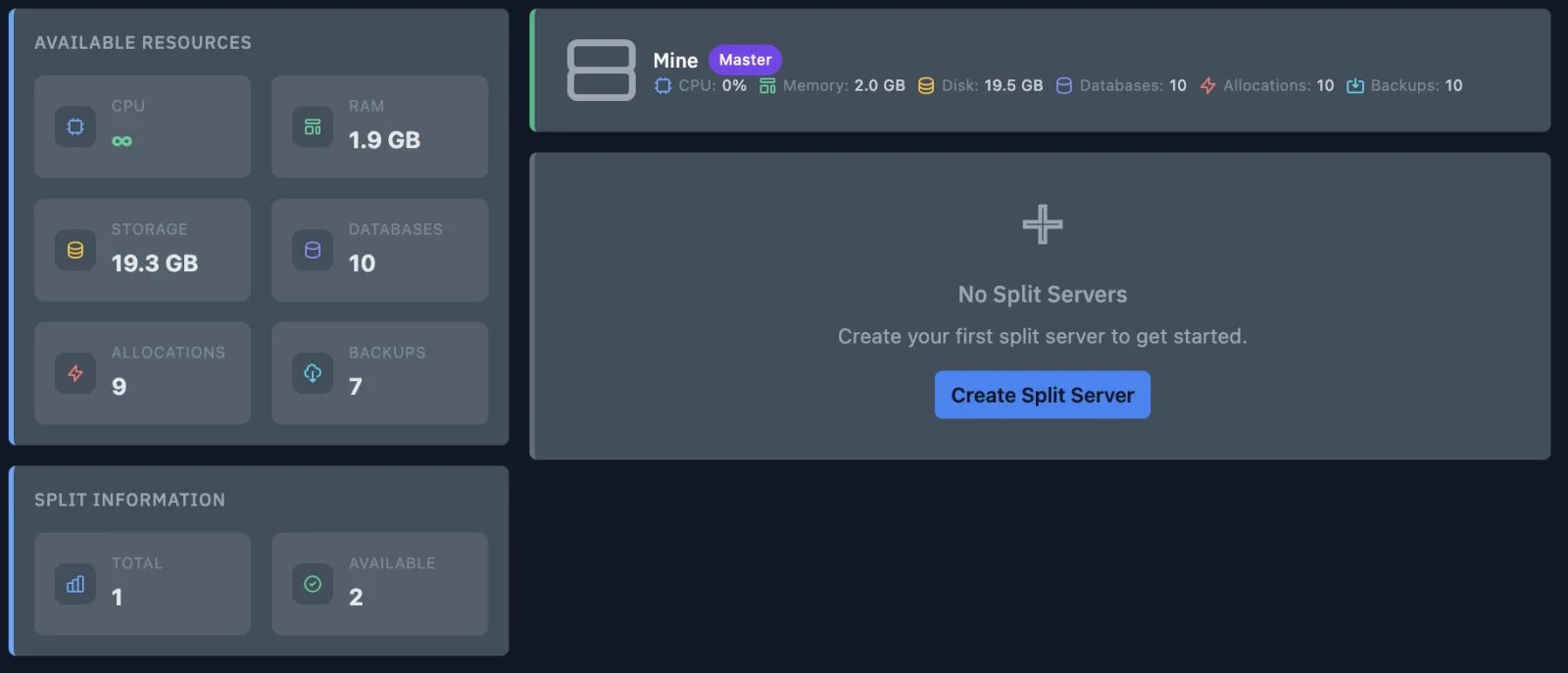
Creating Your First Sub-Server
Click on the "Create Server Split" button to launch the configuration wizard. You will need to define the following parameters for your new instance:
- Name & Description: Give your new project a unique identity.
- CPU (Cores): Allocate processing power (Note: 100 units = 1 CPU Core).
- Memory (RAM): Set the amount of operating memory in megabytes.
- Disk (Storage): Define the storage limit for server files (in MB).
- Databases: Assign the number of available SQL databases.
- Backups: Set the limit for automated and manual restore points.
- Allocations (Ports): Define how many network ports the new server can utilize.
Advanced Options:
- Restart after split: Automatically reboots the primary server to immediately apply and distribute the new resource allocation.
- Synchronize sub-users: Clones all existing sub-user permissions from the primary server to the new split instance.
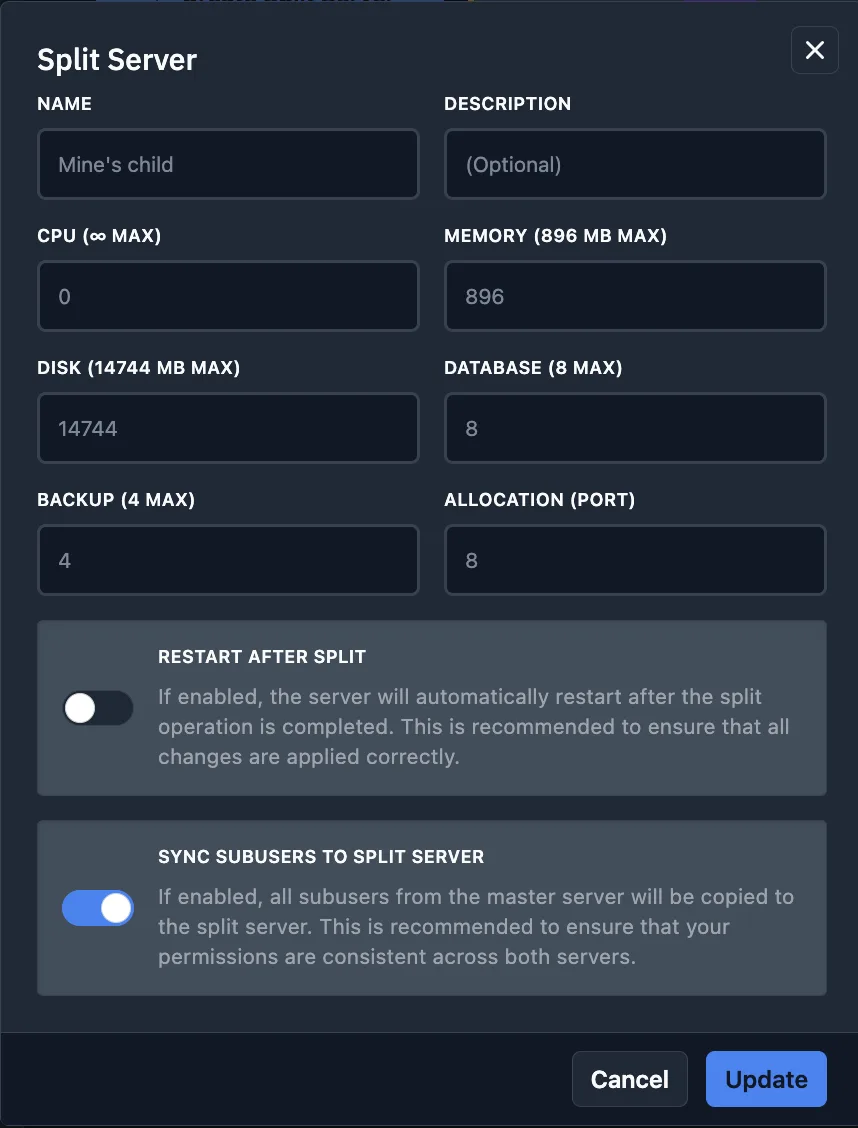
Managing and Scaling
Flexibility is key. You can edit the resource limits of any split server at any time or delete them to return resources to the master pool. Remember: the total sum of all split resources cannot exceed the original capacity of your primary plan.