Secure Your Access
Maintaining a strong password is the first line of defense for your gaming environment. If you remember your current credentials, you can easily update them through the management interface.
How to Update Your Password:
- Navigate to the "Account Overview" page using this Link.
- Alternatively, click on your profile name in the game server control panel Link
-
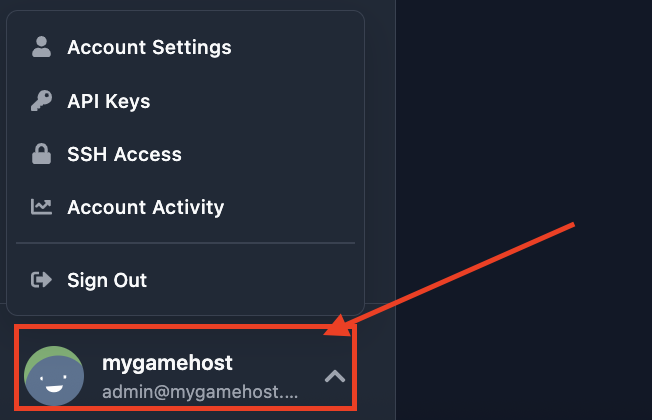
- and select "Account Settings"
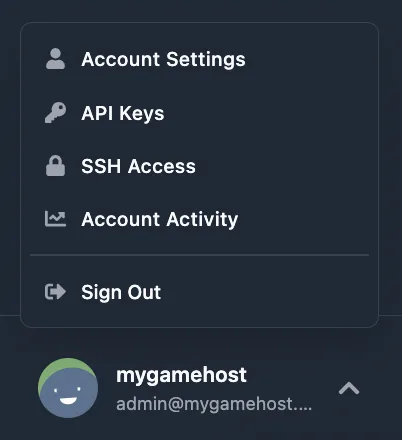 .
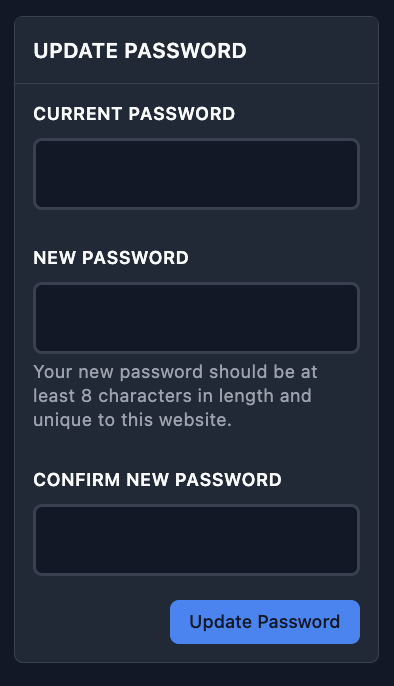
. - In the "Update Password" section, enter your previous password.
- Type your new password twice to confirm the changes
-
 .
.
Note: After saving the form, your password will be updated immediately. You may be required to log back into your account to refresh your session.
Password Recovery Guide
If you have lost or forgotten the password to your account, don't worry. Restoring access is a straightforward process that only takes a few minutes.
Step-by-Step Recovery:
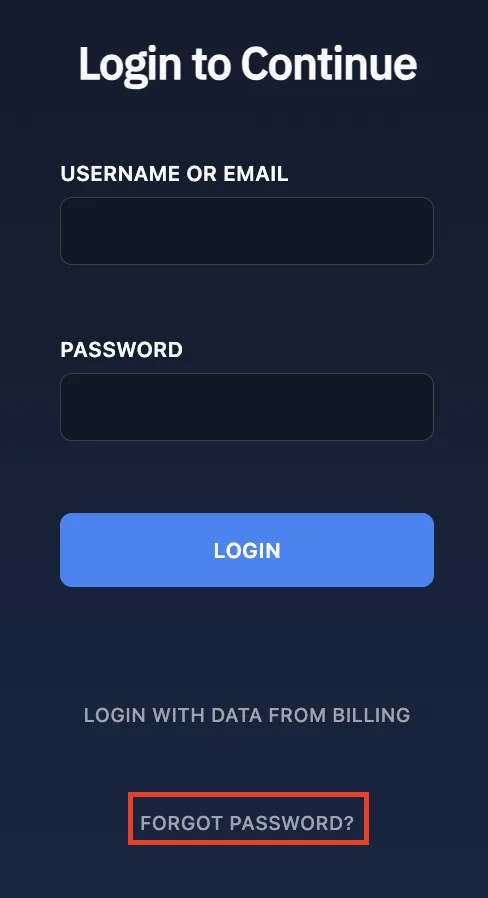
- On the login page, locate and click the "Forgot Password?" button
 .
. - In the field provided, enter the Email address associated with your account
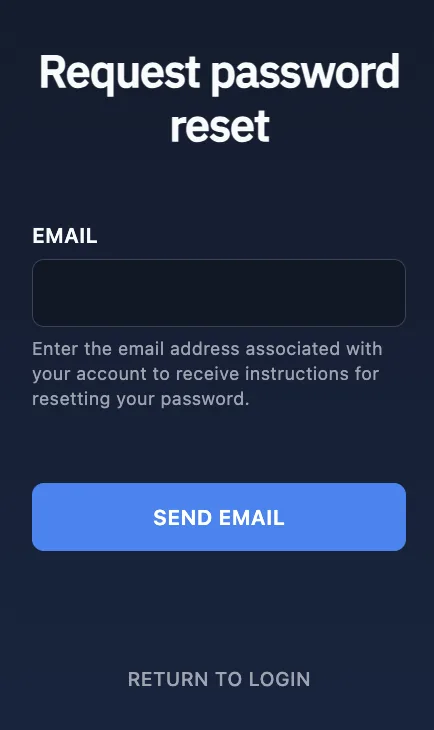 .
. - Make sure it is the correct address, as shown in the example
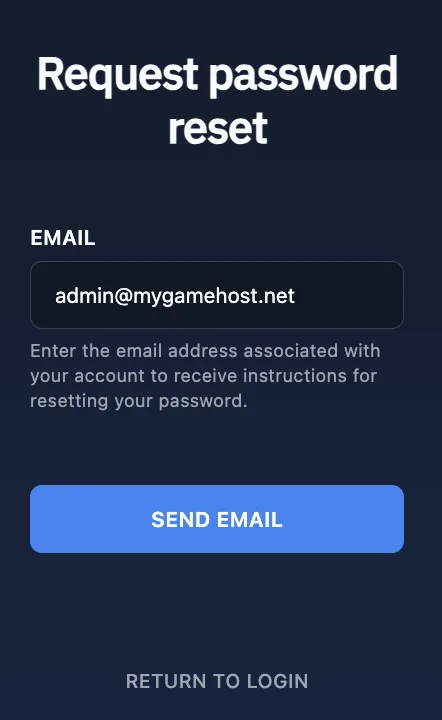 .
. - Click the "Send Email" button. You will shortly receive a notification in your inbox containing password reset instructions
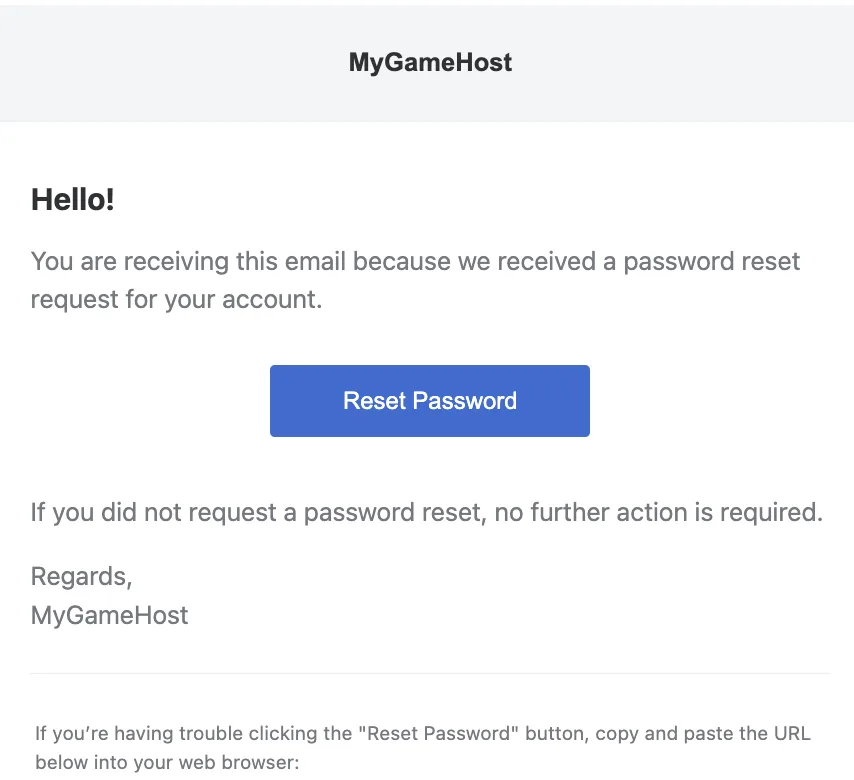 .
. - Open the link provided in the email to create a new password for your account
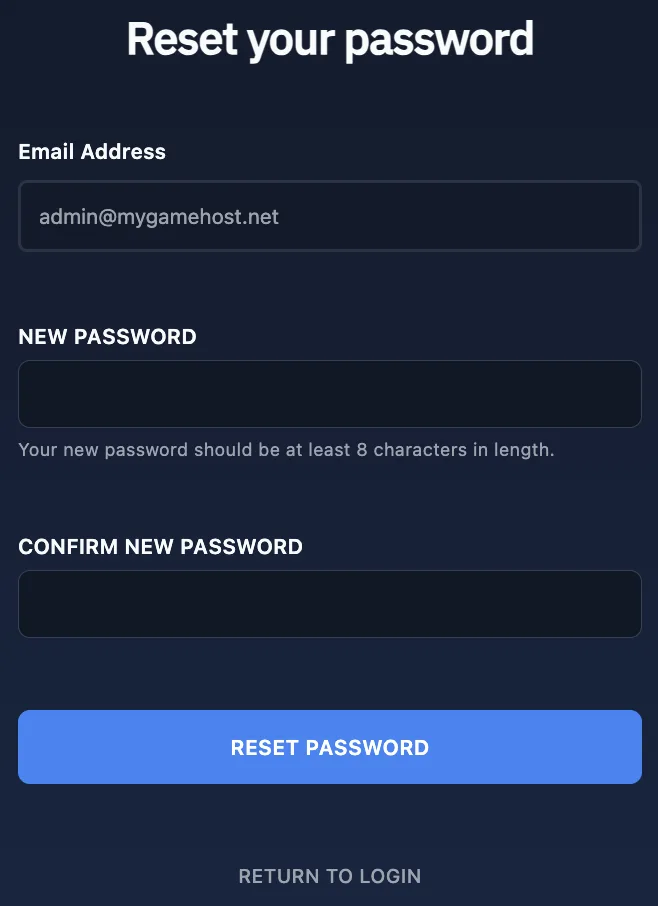 .
.
Pro Tip: Once you have set your new password, you can immediately log back into the control panel and resume managing your servers.